Case study
AfroLingo
A cross-platform African language-learning app focused on micro-learning and real-time interaction.
Problem
Many language-learning platforms lack meaningful representation of African languages and cultural context, and often fail to combine structured learning with real-time, human interaction.
Solution
AfroLingo is a cross-platform (iOS, Android) language-learning app that blends bite-sized lessons, progress tracking, and real-time experiences such as tutor chat and in-app notifications. It uses a modern full-stack architecture with realtime infrastructure to support scalable, interactive learning.
Responsibilities
- Designed and implemented the full product architecture (client + server)
- Built the cross-platform client using React Native and Expo
- Developed the backend API with Node.js, Express, and TypeScript
- Designed the PostgreSQL database schema and managed it with Prisma
- Implemented real-time features (chat, notifications, presence) using Socket.IO
- Integrated Firebase Authentication on client and server
- Set up Redis for presence tracking, rate limiting, and Socket.IO scaling
- Created onboarding, personalization, and progress-tracking flows
- Prototyped community features to demonstrate scalable UI and feature organization
Tech stack
Key features
- Bite-sized lessons, stories, grammar tips, and practice activities
- Progress tracking with XP and streak mechanics
- Personalized onboarding and user preference storage
- Tutor discovery powered by backend APIs
- 1:1 real-time chat with persisted message threads
- Realtime notifications and presence indicators via Socket.IO
- Prototype community UI demonstrating scalable feature structure
Challenges
- Designing a realtime architecture that cleanly integrates Firebase Auth with Socket.IO
- Balancing persistent data storage with low-latency realtime interactions
- Structuring the project to support future scalability while remaining developer-friendly as a solo project
- Managing state consistency between REST APIs and realtime events
Visuals
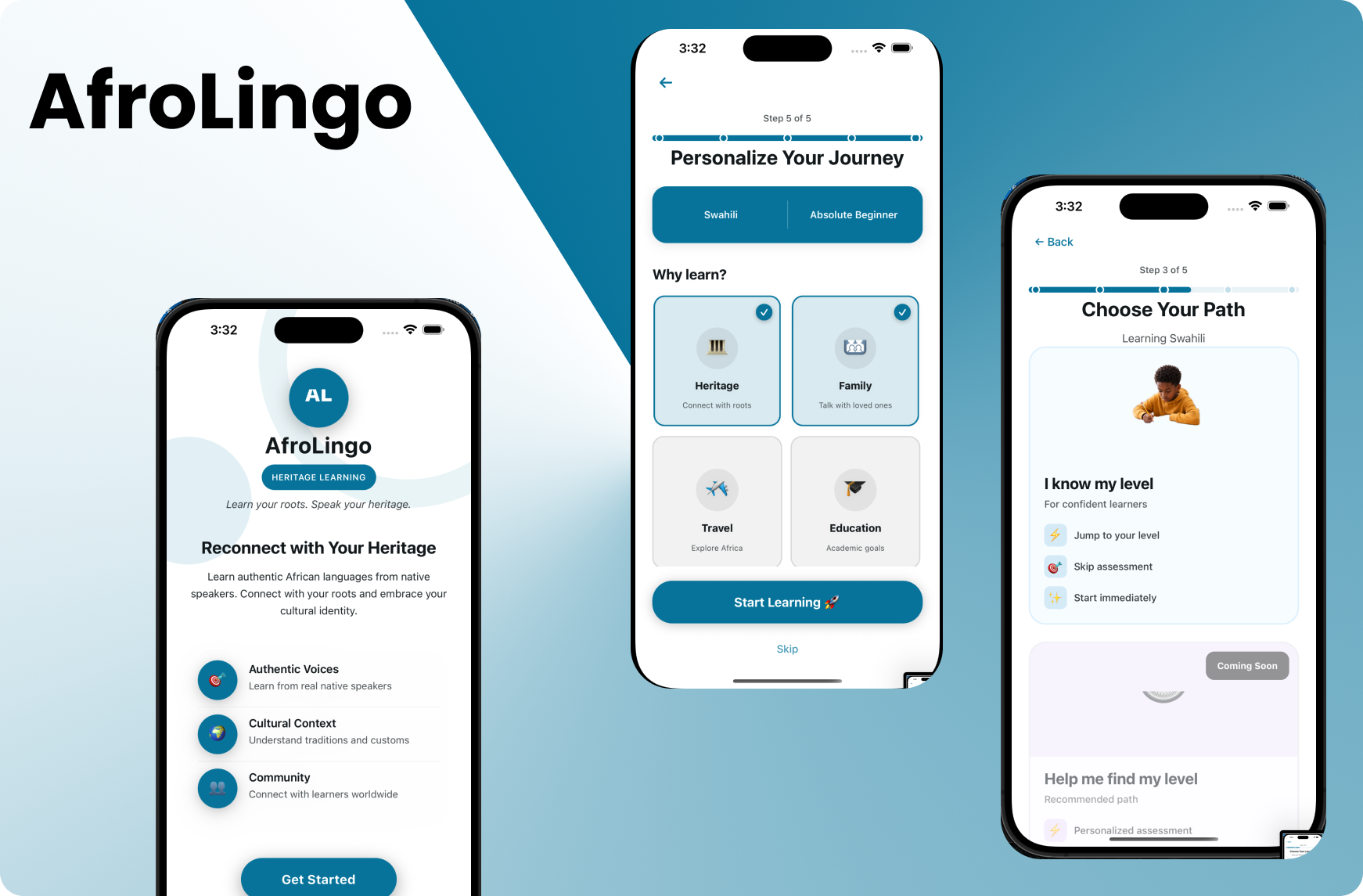
Notes
Currently runs in local development environments only. Visuals to add later: Onboarding, Home/Dashboard, Lessons & Practice, Tutors & 1:1 Chat, Community (Prototype).